How to store boat electronics safely during winter starts with understanding what winter storage really threatens: moisture, temperature swings, corrosion, battery damage, and accidental data loss. Boat electronics include fixed-mount chartplotters, multifunction displays, VHF radios, AIS transceivers, fish finders, radar displays, autopilot control heads, digital switching modules, stereo head units, handheld GPS devices, portable battery packs, and the network cables connecting them. Winterizing, in practical terms, means preparing every electronic component for months of inactivity so it powers up reliably in spring. I have seen expensive marine displays ruined not by dramatic flooding, but by a damp storage cover, a weak battery left connected, and connectors ignored until green corrosion spread across pins. That is why this subject matters within Boat Maintenance & Repairs. Electronics are among the costliest systems on a boat, and they also affect safety. A dead VHF, inaccurate GPS, or failed bilge alarm at launch can delay the season and create real risk. Proper winter prep protects equipment, shortens spring commissioning, and gives you a clear system for inspecting wiring, documenting settings, and scheduling off-season repairs before the first warm weekend arrives.
Assess every device and build a winterizing plan
The safest approach is to inventory the boat before disconnecting anything. Walk through the helm, cabin, hardtop, transom, battery compartment, and any electronics locker. List each device by brand, model, serial number, mounting location, power source, and network connection. Include NMEA 2000 drops, Ethernet links, external antennas, transducers, black-box sonar modules, heading sensors, and remote keypads. Photograph the installation from multiple angles. In my own winter checklists, those photos save hours when reconnecting season after season, especially on boats with shared power buses and crowded helm panels.
Next, divide electronics into three groups: remove and store indoors, leave installed but protect in place, and service or replace during the off-season. Portable and semi-portable equipment should usually come off the boat. That includes handheld VHFs, tablets used for navigation, removable chartplotter heads, portable fish finders, EPIRBs with user-access battery management, and detachable control units. Equipment that is bonded into complex wiring harnesses may stay aboard if the boat is stored in a dry, secure building, but only after proper shutdown and moisture control. If the boat is shrink-wrapped outdoors, removal becomes much more attractive because freeze-thaw cycles and condensation are relentless.
This planning stage is also the time to gather manuals, update firmware if the manufacturer recommends doing so before storage, and back up user data. Most modern multifunction displays can export waypoints, routes, tracks, and settings to a microSD card. Do not trust one copy. Save a card, a computer copy, and cloud storage if available. If a display fails over winter or is replaced in spring, that backup restores your navigation setup quickly.
Power down correctly and protect batteries from winter damage
Marine electronics should not simply be switched off at the screen and forgotten. Follow the proper shutdown sequence for each device so mapping data, sonar logs, and settings files close correctly. Then isolate power at the breaker panel or disconnect the negative battery terminal after confirming bilge pumps, alarms, or other essential circuits are handled appropriately for your storage arrangement. On many boats, parasitic draws from stereos, memory circuits, and network gateways slowly deplete batteries over several months. Deep discharge is one of the most common winter failures I encounter.
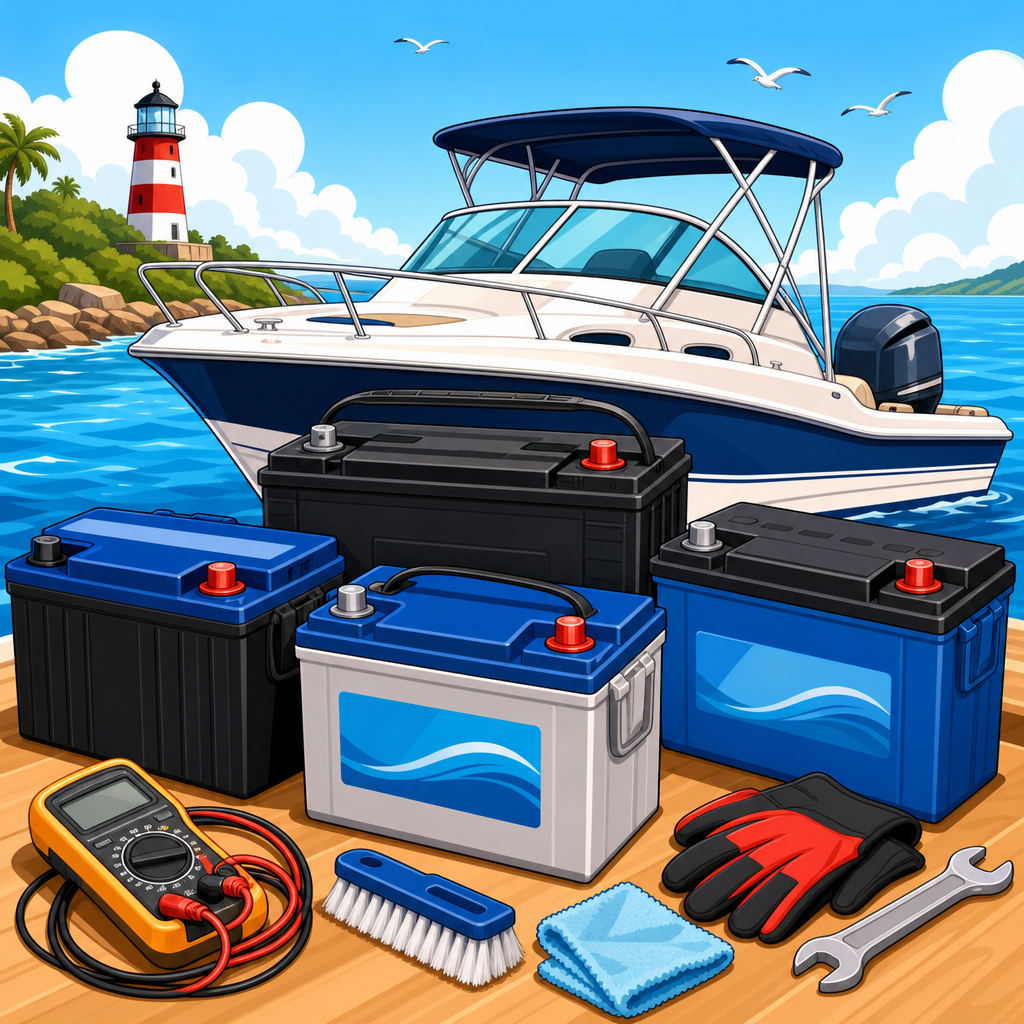
Batteries deserve the same attention as the displays they feed. Lead-acid batteries left discharged can freeze and sulfate; lithium batteries may enter protection mode or degrade if stored outside recommended temperature ranges. Check the manufacturer guidance for flooded, AGM, gel, and lithium chemistries. In general, fully charge batteries before storage, disconnect them from nonessential loads, clean terminals, and maintain them with a quality marine charger or approved maintenance regimen. Avoid cheap trickle chargers that hold improper voltage all winter. A smart charger with temperature compensation is safer and extends service life.
If you remove electronics but leave batteries aboard, label every disconnected cable. Use adhesive wire markers or heat-shrink labels rather than masking tape that falls off in damp conditions. Cover exposed ring terminals and bus studs to prevent accidental shorts. This is also the right moment to inspect fuses, inline holders, battery switches, and grounding points. Corrosion at power distribution is often misdiagnosed as device failure in spring.
Remove, clean, and package electronics for indoor storage
Whenever practical, store sensitive marine electronics indoors in a clean, climate-stable space. Remove detachable screens, handheld units, microphones, and portable accessories according to the manufacturer instructions. Do not force connectors. Marine plugs often use locking collars, alignment keys, and weather seals that are easy to damage when rushed in cold weather. Once removed, wipe units with a soft microfiber cloth. Salt residue should be cleaned with fresh water on the cloth, never sprayed directly onto the device, followed by thorough drying. Avoid ammonia-based glass cleaners on coated displays because they can damage anti-reflective surfaces.
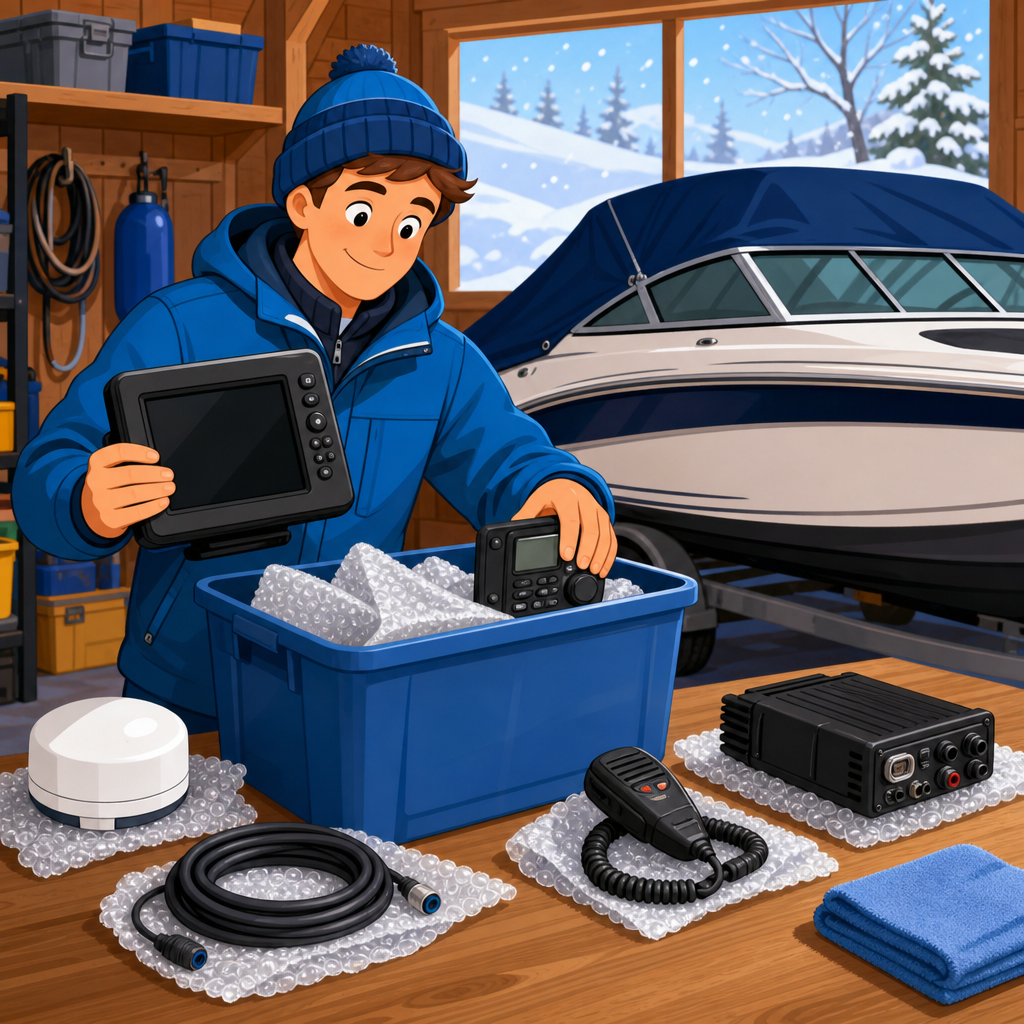
Packaging matters more than many owners realize. The best storage container is usually the original padded box; second best is a rigid plastic bin with cushioning that prevents pressure on knobs, screens, and card doors. Include silica gel desiccant packs, but do not seal a device into a humid bag straight from a damp boat. Let it acclimate and dry first. Store electronics off concrete floors, away from fuel cans, fertilizer, and unheated sheds where humidity swings are severe. A basement or interior closet is far better than a garage that repeatedly drops below freezing and then warms enough to create condensation.
Small accessories deserve equal care. Remove SD cards, label them, and keep them in protective cases. Coil cables loosely using over-under technique to avoid stressing conductors. Cap connectors if protective covers are available. For VHF microphones, inspect the coiled cord for cracking and store without heavy bends. For transducers removed from portable mounts, protect the face from scratches and never rest the cable under weight.
Protect installed electronics, connectors, and marine networks
Some equipment must remain installed, including flush-mounted displays, radar pedestals, transducers bedded into hulls, and backbone cabling routed through inaccessible spaces. In those cases, the goal is to keep moisture out, reduce corrosion, and prevent strain during months of inactivity. Start by cleaning the helm and electronics box thoroughly. Dust mixed with salt attracts moisture. Then inspect gaskets around displays, cable glands, and instrument pods. Replace cracked seals now, not at launch.
For connectors, the standard is simple: disconnect only when necessary, inspect pins carefully, dry the interface, and protect it with the right product. I use dielectric grease sparingly on appropriate connector seals and corrosion inhibitor on exposed metal parts where the manufacturer permits it. More is not better. Excess product can trap debris or interfere with low-voltage connections. NMEA 2000 tees and device cables should remain capped when open. Ethernet ports, antenna leads, and radar connectors need their weather covers installed securely.
Do not wrap installed displays tightly in plastic. Plastic traps condensation against the housing. Use breathable fitted covers or the manufacturer sun cover after the unit is fully dry. If the boat is shrink-wrapped, insist on proper ventilation. Vents in the wrap reduce condensation dramatically, especially in regions with alternating cold nights and sunny days. On larger boats, a dehumidifier or desiccant system in the cabin can make a significant difference for helm electronics and network modules mounted below.
| Component | Best Winter Action | Main Risk If Ignored |
|---|---|---|
| Removable chartplotter head | Remove, dry, back up data, store indoors | Screen condensation, theft, connector corrosion |
| Fixed-mount VHF radio | Shut down properly, isolate power, cover dry unit | Battery drain, microphone cord damage, corrosion |
| NMEA 2000 connector | Cap unused ports, inspect seals, keep dry | Green pin corrosion, network faults in spring |
| Battery bank | Fully charge, disconnect nonessential loads, maintain correctly | Freezing, sulfation, low-voltage damage |
| Handheld GPS or VHF | Remove batteries if required, store indoors, recharge on schedule | Leaking cells, dead battery, lost emergency readiness |
Control moisture, temperature, and corrosion throughout the off-season
Moisture control is the central challenge of winterizing boat electronics. Electronics usually tolerate cold better than they tolerate condensation. A display stored at low temperature in a dry environment is often fine; the same display exposed to repeated dew cycles can fail from corrosion at internal boards, ribbon cables, or switch contacts. The practical answer is stable storage conditions and active humidity management. If the boat is indoors, maintain airflow. If it is wrapped outside, use vents and avoid sealing wet cushions, lines, or lifejackets inside because they release moisture for weeks.
Corrosion prevention starts before storage with a careful freshwater wipe-down of exposed helm surfaces after the final trip. Salt left on bezels, keypads, and connector collars keeps pulling moisture from the air. After cleaning and drying, inspect for white powder on aluminum mounts, green buildup on copper conductors, and rust stains around fasteners. Treat the cause, not just the symptom. A leaking windshield frame dripping onto the back of the dash will defeat any amount of spray protectant.
Temperature extremes matter most for batteries, adhesives, LCD behavior, and some portable devices. Follow published storage ranges from Garmin, Raymarine, Simrad, B&G, Furuno, and Icom when available for your model. If the manual says indoor storage is preferred, treat that as a requirement. Marine manufacturers design for harsh use, but long idle periods are different from active operation. For boats in very cold climates, removing detachable displays and handhelds is usually the safest move.
Use winter as the best time to inspect, document, and upgrade
Winter storage is not just about preservation; it is the ideal maintenance window. Once electronics are powered down and accessible, inspect the entire system as if you were surveying it for a buyer. Check cable support, drip loops, fuse sizing, chafe protection, and label quality. ABYC electrical practices provide a strong benchmark for wire support, overcurrent protection, and corrosion-resistant connections. If you find household wire nuts, untinned wire in wet spaces, or unlabeled accessory additions from prior owners, note them for correction before launch.
Document software versions, chart subscriptions, MMSI details, and connected sensors. Many spring problems are administrative rather than mechanical: expired charts, lost waypoints, outdated autopilot calibration, or a replacement radio programmed incorrectly. Keep a winter service folder with photos, backup files, receipts, and a reconnection checklist. I recommend adding a one-page diagram showing power feeds, network backbone layout, and transducer assignments. That simple reference cuts troubleshooting time dramatically.
Upgrades also fit naturally into seasonal prep. If your fish finder has an aging transducer, your VHF lacks AIS integration, or your helm wiring has become cluttered, winter is the season to bench-test replacements and plan cleaner installations. Because this hub covers Winterizing & Seasonal Prep broadly, it should connect your next steps across related jobs: battery maintenance, shrink-wrap ventilation, dehumidifier setup, spring recommissioning, bilge pump testing, and off-season electronics upgrades. Treat electronics storage as one part of a coordinated winter plan, not an isolated chore.
Spring recommissioning starts with what you do now
Good winter storage pays off when spring launch is orderly instead of reactive. Recommissioning should begin with a visual inspection before reconnecting power. Look for moisture, rodent activity, cracked cable jackets, loose terminals, or missing caps on connectors. Reinstall removed electronics using your labeled cables and reference photos. Then energize the system methodically: battery charger, main battery switch, distribution panel, network backbone, and individual devices one at a time. This sequence helps isolate faults quickly.
Once powered, confirm date and time, GPS lock, chart data, VHF transmit and receive checks, sonar readings, radar spin-up, and autopilot sensor status. Load your backed-up waypoints and verify software settings. If a device behaves oddly after storage, resist the urge to assume it failed from age. Low voltage, oxidized connectors, outdated firmware, and damaged SD cards cause many spring issues. Because you documented everything during layup, diagnosis is faster and more accurate.
The core lesson is straightforward. Store boat electronics safely during winter by planning the work, backing up data, isolating power, maintaining batteries, removing sensitive gear when practical, protecting installed components from moisture, and using the off-season to inspect the whole system. Those steps reduce repair costs and preserve reliability when the season returns. Review your electronics inventory before haul-out, build a checklist, and handle each device deliberately. A few careful hours in autumn protect thousands of dollars in equipment and make spring commissioning far easier.
Frequently Asked Questions
What are the biggest winter storage risks for boat electronics?
The biggest threats during winter storage are moisture, condensation, temperature swings, corrosion, battery damage, and preventable data loss. Even when a boat is covered and not in use, electronics can still be exposed to humidity trapped inside the cabin, unheated storage conditions, and repeated freeze-thaw cycles that create condensation on screens, circuit boards, connectors, and cable ends. That moisture is one of the most serious risks because it can lead to corrosion on terminals, green buildup inside plugs, and long-term damage that may not show up until spring commissioning.
Temperature changes are another major issue. Most marine electronics are designed to operate in a wide range of conditions, but extended off-season storage in freezing or damp environments can accelerate wear on displays, seals, and internal components. Batteries are especially vulnerable. If handheld GPS units, VHF radios, portable fish finders, or battery packs are stored discharged or left in extreme cold, battery capacity can drop permanently. There is also the often-overlooked risk of data loss. Stored waypoints, routes, software settings, and sonar logs can be lost if a device experiences a failed battery, improper shutdown, or internal memory issue during the off-season. Safe winter storage is really about controlling the environment, removing avoidable stress from the equipment, and preserving both the hardware and the information inside it.
Should boat electronics be removed for winter storage or left installed on the boat?
In many cases, portable and detachable electronics should be removed and stored indoors, while permanently installed equipment can remain on the boat if it is properly protected. Handheld GPS devices, portable battery packs, removable chartplotters, stereo faceplates, and handheld VHF radios are best taken off the boat and stored in a clean, dry, temperature-stable location. Indoor storage dramatically reduces exposure to moisture, freezing temperatures, and theft. If the device has a removable bracket or quick-disconnect power and network connection, removing it for the season is usually the safer option.
Fixed-mount electronics such as multifunction displays, radar displays, autopilot control heads, digital switching modules, AIS units, and networked fish finders are often left installed because removal may be impractical or could introduce unnecessary wear if connectors are repeatedly disconnected. In that case, the priority becomes protection. Power the system down correctly, disconnect battery power where appropriate, cover screens with fitted covers, protect exposed connectors with dielectric grease and weather caps, and keep the boat as dry and ventilated as possible. If the boat is stored outside, additional attention should be given to reducing trapped humidity under covers or shrink wrap. The right choice depends on how exposed the boat is, how easy the electronics are to remove, and whether you can store them somewhere safer than the vessel itself.
How should I prepare chartplotters, VHF radios, fish finders, and other marine electronics before winter?
Start by backing up everything important. Save waypoints, routes, tracks, sonar data, custom settings, and any device-specific configuration files to an SD card, USB drive, or manufacturer-approved app or software platform. If your electronics are networked, document the system layout and label cables before disconnecting anything. Taking photos of the back of each unit, connector locations, and cable routing can save a great deal of time in the spring. Once your data is secure, update firmware if the manufacturer recommends doing so before storage, or make a note to do it during recommissioning.
Next, clean each unit carefully. Use a soft microfiber cloth and marine-safe screen cleaner for displays, and remove salt residue, grime, and dust from housings, keypads, and brackets. Salt crystals left behind over the winter can attract moisture and contribute to corrosion. Inspect connectors, fuse holders, and cable ends for corrosion, looseness, cracked insulation, or damaged seals. Dry everything thoroughly before covering or packing it away. For removable equipment, detach power cables and antennas carefully, install protective caps if available, and store accessories with the unit so nothing gets lost. For installed systems, cover displays, secure loose wiring, and protect connector points. Finally, make sure all devices are fully powered down according to the manufacturer’s procedure rather than simply cutting power abruptly, especially on units that may be writing data or preserving internal settings.
How do I protect batteries and prevent corrosion during winter storage?
Battery care is essential because many electronics failures in spring are really battery-related issues that began months earlier. For handheld devices, portable battery packs, and units with internal rechargeable batteries, do not store them fully depleted. Most manufacturers recommend storing lithium-based batteries partially charged, often around 40 to 60 percent, in a cool, dry place away from extreme cold or heat. Check them periodically through the winter and recharge as needed to prevent deep discharge. For electronics tied into the boat’s main battery banks, the bank itself should be maintained properly with the correct charging strategy for the battery type, whether flooded lead-acid, AGM, gel, or lithium. A neglected battery can sulfate, freeze if discharged enough, or create unstable voltage that affects connected electronics.
To prevent corrosion, focus on keeping moisture away from metal contact points and exposed wiring. Disconnect power where appropriate and inspect terminals, fuse blocks, antenna connections, and network cable ends for signs of oxidation or greenish residue. Clean corrosion using the correct marine-safe method, replace compromised connectors, and apply dielectric grease to suitable electrical connections to help block moisture intrusion. Make sure protective boots, caps, and seals are in place. If electronics remain installed, ventilation matters just as much as sealing. A tightly wrapped boat with trapped moisture can be worse than a well-covered boat with controlled airflow. Moisture absorbers or dehumidification methods can help in enclosed spaces. The goal is to store batteries within safe charge ranges and keep electrical contact surfaces clean, dry, and stable until the next season.
What is the best way to store cables, accessories, and electronic settings so everything works in spring?
Organization is one of the most underrated parts of winter storage. Network cables, transducer leads, power harnesses, antenna cables, and accessory adapters should be disconnected only when necessary, then labeled clearly and stored so they are protected from crushing, kinking, and contamination. Use tags or waterproof labels to identify where each cable belongs, especially in systems that include NMEA 2000 backbones, Ethernet connections, radar cabling, AIS interfaces, or autopilot components. Coil cables loosely rather than tightly to avoid stressing conductors, and keep connectors covered with protective caps or sealed bags that exclude dust and moisture without trapping liquid water inside. Small accessories such as mounting knobs, faceplates, memory cards, microphones, and spare fuses should be grouped by device in labeled containers.
Digital organization is just as important as physical storage. Back up waypoints, charts where permitted, routes, user profiles, audio presets, and network settings before winter. If your system includes multiple integrated devices, maintain a written or digital checklist showing software versions, wiring notes, and any issues you want to address during recommissioning. Photos of installation positions, bracket orientations, and connector layouts make reinstallation faster and reduce mistakes. In spring, having well-labeled cables, protected accessories, and backed-up settings means you can reconnect and test your electronics methodically instead of troubleshooting preventable problems. Good storage practices do more than protect gear from winter damage; they preserve the reliability of the entire marine electronics system for the next boating season.